


New iPhone Markets Screen: Find Your Next Trade, Faster Than Ever
We're excited to share the latest update to the NAGA iPhone app: a redesigned Markets screen that makes discovering and navigating markets faster and more intuitive than ever.
Whether you know exactly what you want to trade or you're looking for your next opportunity, the new Markets screen is designed to get you there in fewer taps.
Three Ways to Browse Markets
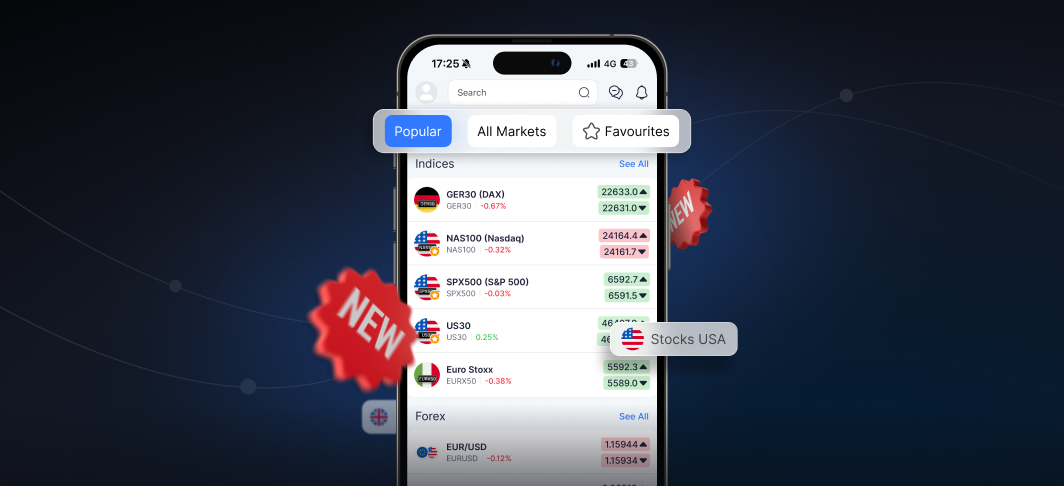
The updated Markets screen is organised around three tabs at the top of the screen, each serving a different style of trader:
Popular: The new default view surfaces the most actively traded assets on NAGA right now. If you want to trade what's moving, this is where to start: no searching required.
All Markets: Browse the full range of available instruments, organised by asset class: Indices, Forex, Stocks, Commodities, Crypto, and more. Each asset class list opens with a Most Traded section at the top, so you can quickly see what's popular within that category, followed by a full alphabetical listing of every available market.
Favourites: Your personal watchlist is exactly where you left it. Any instruments you've saved remain easily accessible in the Favourites tab.
Stocks: Now Organised by Region
The Stocks section has an additional layer of organisation to help you find the companies you care about. Stocks are grouped by region — for example Germany, USA, UK — so you can browse by market rather than scrolling through a single long list. Each regional group also surfaces its most traded stocks at the top.
Upcoming Changes
In future releases we'll continue to improve the Markets experience:
Custom Watchlists: Take full control of your Favourites experience. You'll be able to create multiple watchlists, add any market to a watchlist, and reorder instruments within each list to suit your trading style, so the markets that matter most to you are always front and centre.


