



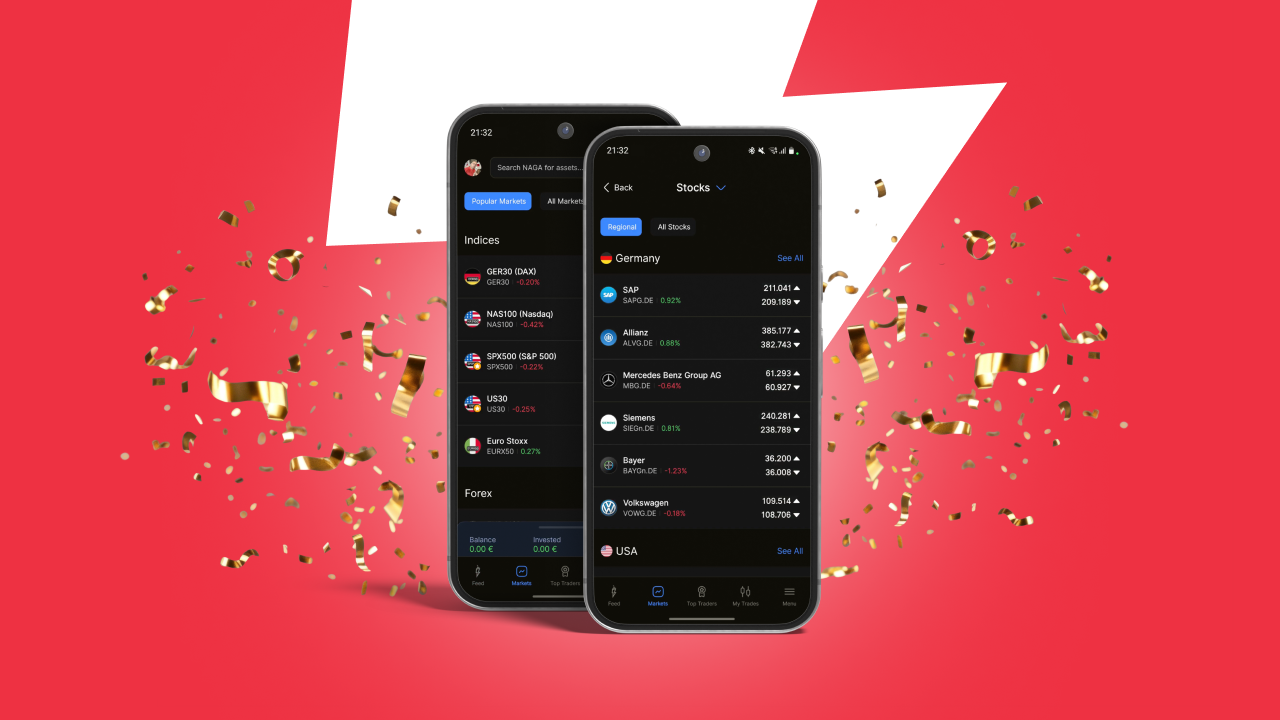
Following the recent rollout of the redesigned Markets experience on Web, we’re excited to announce that the new Markets screen is now available on Android. This release brings the core structure and navigation improvements to mobile, aligned with the NAGA 2.0 initiative to modernize and simplify the platform experience.
The Android Markets screen now features a refreshed design with three main tabs: Popular Markets, All Markets, and Favourites. The Favourites tab remains unchanged for now, with Watchlists planned for a subsequent Android release.
Popular Markets
The Popular Markets tab highlights key instruments across major asset classes in a clear, structured way. Markets are shown in the following order: Indices, Forex, Commodities, Crypto, and Stocks. Each category displays five popular markets along with a See All button that takes users to a dedicated category page. This page shows top-traded instruments at the top, followed by the remaining markets in that category listed in alphabetical order.
All Markets
The All Markets tab provides a comprehensive overview of available instruments, organised by asset class. At the top of the screen, users can switch between asset classes such as Indices, Forex, Commodities, Crypto, and others, allowing quick navigation across categories.
The top traded instruments for each asset class at the top, followed by all remaining instruments in the asset class in alphabetical order
Stocks are further organized into two sub-tabs: Regional and All Stocks.
The Regional tab displays stocks grouped by the country in which they are listed. The first region shown corresponds to the customer’s country of residence, followed by the same order used on web. Each region shows a selection of markets along with a See All option to access the full list.
This Android release brings the Markets experience closer to parity with Web, while keeping the interface optimized for mobile usage. Further enhancements, including Watchlists, are already planned for upcoming releases.


